Razer Kitty Ears V2 Black are magnetic cat ear attachments with RGB lighting, compatible with Razer Kraken V3 headsets. Personalize your headset in an instant.
Razer Kitty Ears V2 – Stylish Cat Ear Attachments for Your Headset
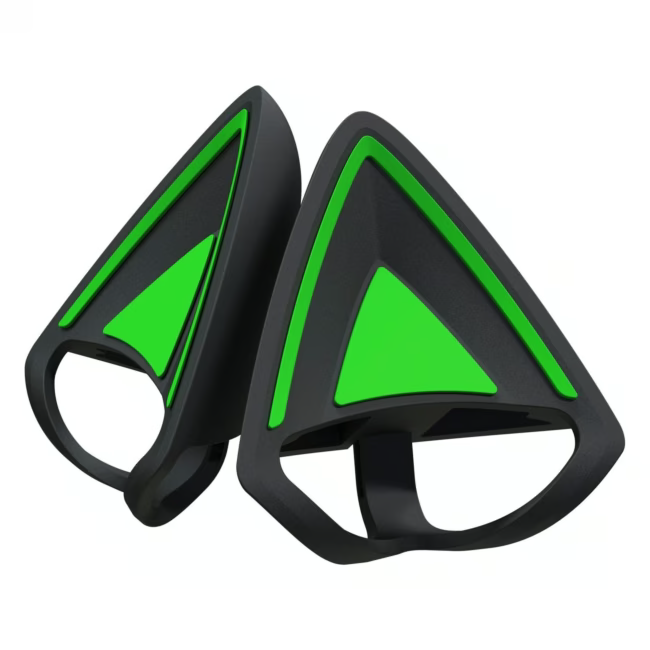
The Razer Kitty Ears V2 are detachable, magnetic ear attachments that turn your gaming headset into a real eye-catcher. They are specifically designed for the Razer Kraken V3 series and can be attached and removed in seconds thanks to the magnetic closure.
Striking cat ear design with customizable RGB lighting – choose from 16.8 million colors and react to in-game events.
Magnetic attachment: the ear pieces snap securely into place and stay put without slipping – perfect for travel and tournaments.
Lightweight at only 74 grams per pair: the added weight on your head is barely noticeable, letting you play comfortably for hours.
Compatible with Razer Kraken V3 Pro, Kraken V3 HyperSense and Kraken V3 X – add a personal touch to your setup.
Package includes two separate ear attachments (green and black) that can be combined as you wish.
What sets Razer Kitty Ears V2 apart
Unlike many other headset accessories, the Kitty Ears V2 offer true customization – both visually and technically. The RGB lighting is controlled via Razer Synapse and can be synchronized with other Razer devices for a cohesive setup.
Ideal for...
The Kitty Ears V2 are aimed at gamers and streamers who want to personalize their look without sacrificing audio quality or comfort. They are especially popular among fans of kawaii aesthetics, but also appeal to anyone looking for a flashy accessory for LAN parties or live streams.
How to use Razer Kitty Ears V2
Remove the original ear cushions from your Razer Kraken headset by gently pulling them off. Place the Kitty Ears V2 so that the magnets snap into place exactly. Adjust the position minimally until an audible click signals they are firmly attached. Connect the headset to your PC, open Razer Synapse, and assign a custom RGB color or effect to the ear attachments.
Razer is a leading manufacturer of gaming hardware and accessories, known for high-quality mice, keyboards, headsets, and laptops. The brand stands for innovative technology and stylish design tailored specifically for gamers.
They are detachable, magnetic cat ear attachments for Razer Kraken headsets. They give the headset a unique look and feature customizable RGB lighting.
They are officially compatible with Razer Kraken V3 Pro, Kraken V3 HyperSense, and Kraken V3 X. Older Kraken models are not supported.
The attachment uses magnets inside the ear pieces. First remove the original ear cushions, then place the Kitty Ears – they snap into place with an audible click.
According to the manufacturer, two attachments are included: one green and one black. You can wear them individually or combined.
Yes, via the Razer Synapse software. You can adjust colors, brightness, and effects, and synchronize the lighting with other Razer devices.
Subscribe to the newsletter
New arrivals, promotions and exclusive offers — straight to your inbox.




Please complete your information below to login.
Sign In
Create New Account