In this category you'll find tablets for work, study, family and leisure – from lightweight Android tablets to powerful iPads to Windows 2-in-1 devices. Brands such as Apple, Samsung, Lenovo, Microsoft, Huawei, Amazon and Xiaomi, along with matching accessories, offer one of the most versatile tablet selections in Switzerland – for students, professionals and anyone looking for a mobile device for entertainment or creative work, with fast delivery throughout Switzerland and the Principality of Liechtenstein.
Buy tablets online – everything for work, streaming and creativity
Whether you're looking for a tablet for university, Netflix evenings, a digital notepad for work, or as a smart companion when traveling: the range covers compact 7-inch devices, large 12.9-inch professional tablets, LTE models with SIM card and Wi-Fi-only versions. So as a student, commuter, creative professional or tech enthusiast, you can quickly find the right tablet – conveniently orderable from home.
Tablets for every use – from kids' tablets to business tablets
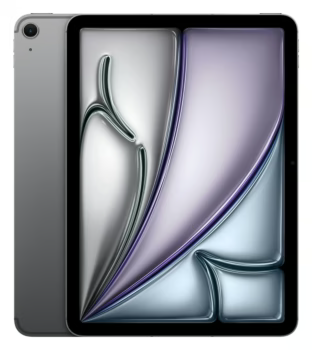
Entry-level tablets like the Amazon Fire HD 10 or the Lenovo Tab M10 are suitable for simple media consumption and first apps. If you need more productivity, handwritten notes and high-quality displays, go for an iPad Air, Samsung Galaxy Tab S9 FE or a Microsoft Surface Go. For demanding multitasking, graphic design and Windows applications, the iPad Pro or Surface Pro are the first choice. And for children, specially secured tablets with robust cases and pre-installed learning content are available.
The right tablet for your needs – selection aid
Important criteria when choosing include screen size, operating system, storage and the desired ports. For pure Wi-Fi use, models without a cellular module are sufficient – if you want to be online on the go, choose an LTE tablet. In terms of the operating system, you decide between the closed but very stable iPadOS, the open Android system with a wide variety of brands, and Windows if you need desktop applications. The right stylus and keyboard cover also turn a tablet into a full-fledged workstation.
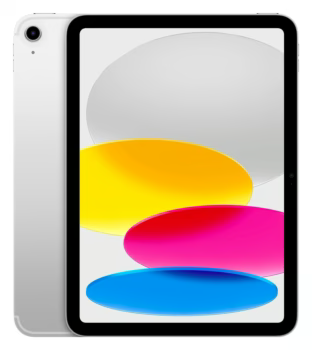
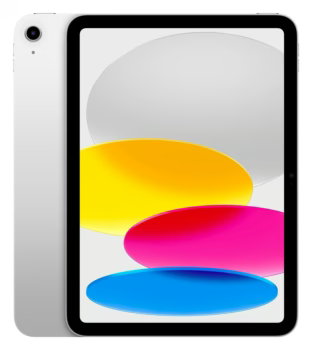
iPad series with intensive app selection and seamless ecosystem
Students, creative workers, professionals
Mid – Premium
Samsung
Galaxy Tab – versatile Android tablets with S Pen
Entertainment & productivity
Entry – Premium
Lenovo
Android tablets and 2-in-1 devices
Everyday use, family, education
Entry – Mid
Huawei
Powerful hardware, large battery, MatePad series
Media consumption, price-conscious users
Entry – Mid
Microsoft
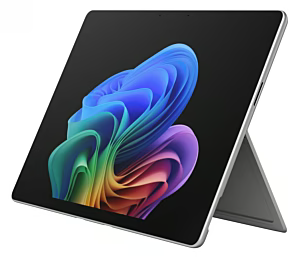
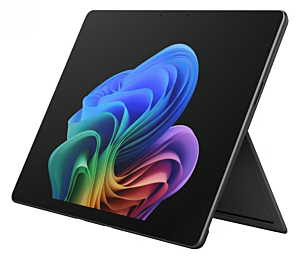
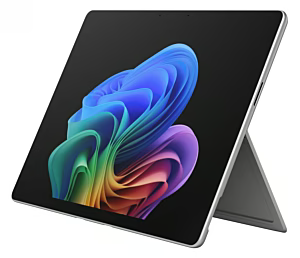
Surface – full Windows in tablet form
Business users, mobile office
Mid – Premium
Amazon
Fire tablets – with access to Amazon services
Kids, casual users, streaming
Very affordable – Entry
Xiaomi
Good features at an attractive price
Streaming, everyday tasks
Entry – Mid
Asus
Versatile Windows and Android tablets
Professional applications, gaming
Mid
Who is this category suitable for?
The category is ideal for students, field workers, creative professionals and families in Switzerland looking for a mobile computer for lectures, client appointments, drawing or shared media time. At the same time, beginners and seniors will also find an easy-to-use device, while technology enthusiasts will discover a wide selection of Windows 2-in-1 and high-end iPads.
Quality, safety & product selection
When buying a tablet, it's worth paying attention to a high-quality display, sufficient storage capacity and a sturdy casing. Certified devices with a CE mark and Swiss warranty conditions offer security. For children, child-safe profiles and robust protective cases should also be factored into the purchase decision so that the tablet survives family everyday life unscathed.
Frequently asked questions
Which tablet is suitable for beginners and everyday use?▾
For beginners and everyday tasks like browsing, streaming and emails, tablets with at least 4 GB of RAM, a current operating system and solid battery life are ideal. Android tablets from Lenovo or Xiaomi and the iPad (9th/10th generation) offer a balanced price-performance ratio and are easy to use.
Which screen size and resolution should I choose?▾
For mobile working and use on the go, 8 to 10 inches are practical, while 11 to 12.9 inches offer more comfort for multitasking, drawing and productive work. A resolution of at least Full HD (1920 x 1080) ensures a clear picture – for larger tablets, a higher resolution is recommended so that text and media remain sharp.
What is the difference between Android tablets, iPads and Windows tablets?▾
Android tablets (Samsung, Lenovo, Xiaomi) are flexible, compatible with many apps and often offer a good price-performance ratio. Apple's iPads shine with the optimized iPadOS, a huge app selection and many years of updates. Windows tablets like the Surface series are the right choice if you need full desktop applications like Office or industry-specific software and are looking for a device that can be used like a notebook.
Which accessories are recommended for tablets?▾
In addition to a suitable protective case and screen protector, keyboard covers and styluses (such as the Apple Pencil or Samsung's S Pen) are a useful addition for productive work, notes and creative projects. External Bluetooth speakers, headphones and mobile chargers also turn the tablet into a versatile companion.
Is the Tablets category also suitable for gifts?▾
Yes, a tablet is a popular gift for many occasions – whether for students, as a family tablet for shared media time or as a modern device for grandparents taking their first steps in everyday digital life. Thanks to the wide price range from Amazon Fire tablets to powerful iPads, you'll find a suitable gift idea for every budget.
Which tablet is suitable for children and what child safety features are available?▾
For children, particularly robust tablets with a child-safe case and integrated parental controls are recommended. Amazon Fire Kids editions, the Samsung Galaxy Tab A8 or the iPad with Screen Time function allow parents to manage usage times and content according to age and adapt the device to the child's needs.
How do I ensure long battery life and proper care of the tablet?▾
Make sure to store the tablet at moderate temperatures and use the included or a certified charger. Avoid fully discharging the battery and keep it regularly between 20 and 80 percent. Clean the display with a soft, slightly damp microfiber cloth and avoid aggressive cleaning agents so that the coating is not damaged.
How do I find the right tablet for my needs – work, streaming or gaming?▾
Consider what you mainly use the tablet for: for office work and multitasking, Windows 2-in-1 devices or iPads with keyboards are ideal. For streaming and movies, tablets with high-resolution OLED or Liquid Retina displays are convincing. If you occasionally want to play games, pay attention to a powerful processor and well-optimized apps – iPads and current Samsung Galaxy Tabs score points here.
Subscribe to the newsletter
New arrivals, promotions and exclusive offers — straight to your inbox.









Please complete your information below to login.
Sign In
Create New Account