Poly APV-63 RJ-11 – EHS Adapter Cable for Seamless Telephony
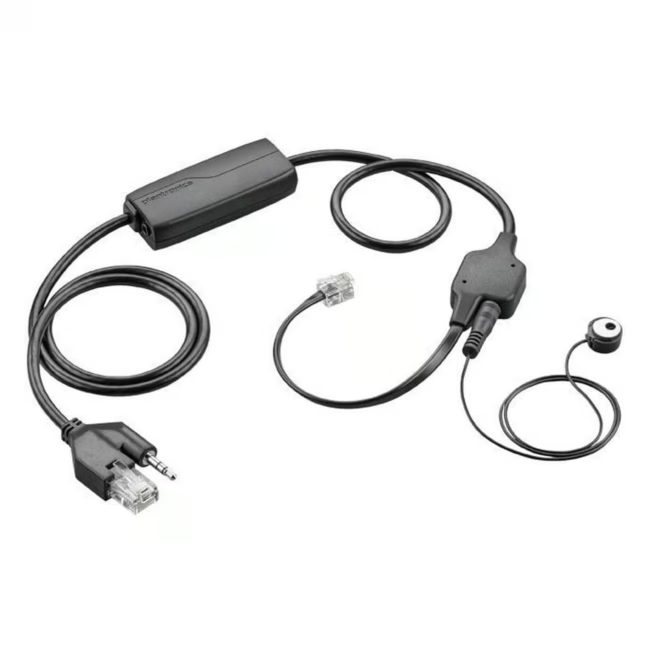
The Poly APV-63 RJ-11 EHS adapter cable connects a compatible Poly headset via the EHS port to a phone with an RJ-11 interface. It enables the use of the headset's buttons to answer and end calls directly.
Allows managing calls directly from the headset, without having to touch the phone.
The EHS adapter ensures a reliable and interference-free connection between headset and phone.
The slim cable, weighing only 124 g, is lightweight and flexible to use.
The simple plug-and-play installation saves time and requires no technical knowledge.
What Sets the Poly APV-63 Apart
The adapter is specifically designed for integration into existing office communication systems. The connection via the standardized EHS port guarantees high compatibility with a wide range of Poly headsets and phones.
Ideal for...
This adapter cable is suitable for office professionals, call center agents, and anyone who spends a lot of time on the phone and needs to keep their hands free. It is the right choice for workstations where a quick switch between calls and computer work is required.
How to Use the Poly APV-63
Connect the RJ-11 plug of the adapter to the corresponding port on your phone. Plug the other end into the EHS port of your Poly headset. Once connected, you can answer and end calls directly via the headset's buttons.
HP Inc. is a world-leading technology company known for its broad range of computers, printers, and accessories. With the acquisition of Poly, HP has expanded its portfolio with professional audio and video conferencing solutions. Poly products are used in many companies for reliable communication.
An EHS adapter (Electronic Hook Switch) connects a headset to a phone, allowing you to answer and end calls via the headset – without additional cables.
The APV-63 is designed for phones with an RJ-11 connector and EHS function. Check compatibility with your phone model.




Please complete your information below to login.
Sign In
Create New Account