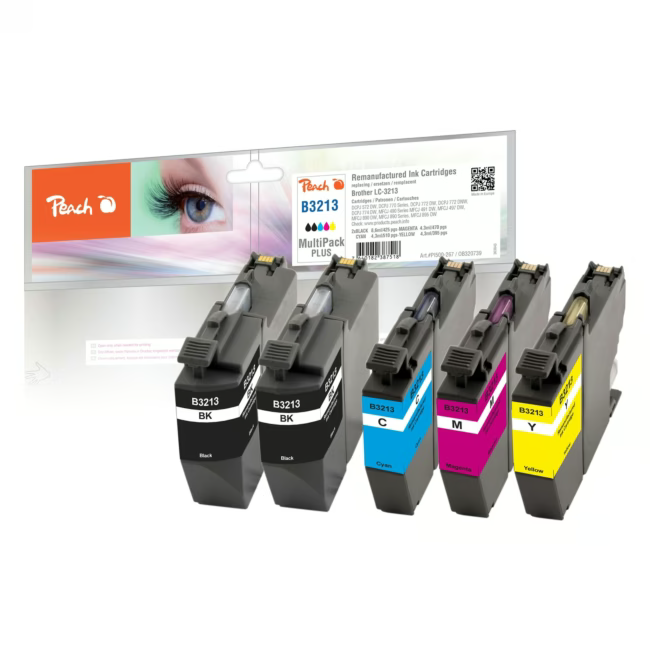
The Peach Multi-Pack-Plus contains four compatible ink cartridges for Brother LC-3213 printers. This set includes black, cyan, magenta and yellow in a practical combination for many print pages.
Save up to 50% compared to original cartridges – with equivalent print quality.
High page yield: black up to 510 pages, color up to 470 pages.
Easy replacement without tools – cartridges are inserted in seconds.
Rainbow kit with all four colors – ideal for color-intensive documents and photos.
What sets the Peach Multi-Pack-Plus apart
Peach is an experienced manufacturer of compatible printer consumables. The cartridges are produced under strict quality control and offer a reliable alternative to the original. Thanks to the high ink volumes (black 2×8.6 ml, color 3×4.3 ml), you need to replace them less often.
Ideal for...
This economical pack is suitable for anyone who regularly uses a Brother LC-3213 printer – whether at home, in a small office or for private use. Particularly suited for users with medium to high print volumes.
How to use the Peach Multi-Pack-Plus
Open the packaging and remove the cartridges. Remove the protective foil and insert each cartridge into the corresponding slot in the printer, according to the color code. Close the cover and run a test print. The cartridges are immediately recognized and ready for use.
Peach is a manufacturer specialized in compatible printer consumables. The brand offers cost-effective alternatives to original cartridges from major printer manufacturers. Peach products are known for high quality and reliability.
The Peach Multi-Pack-Plus is a set of four compatible ink cartridges for Brother LC-3213 printers. It contains black, cyan, magenta and yellow.
This set is specifically designed for printers of the Brother LC-3213 series. Check your printer model before purchasing.
The set contains one black cartridge and three color cartridges in cyan, magenta and yellow.
The black cartridge prints up to 510 pages, the color cartridges up to 470 pages (at 5% coverage).
Open the printer cover, remove the old cartridge, take the new one out of its packaging, remove the protective foil and insert it into the corresponding slot. Close the cover – the printer automatically recognizes it.
Subscribe to the newsletter
New arrivals, promotions and exclusive offers — straight to your inbox.




Please complete your information below to login.
Sign In
Create New Account