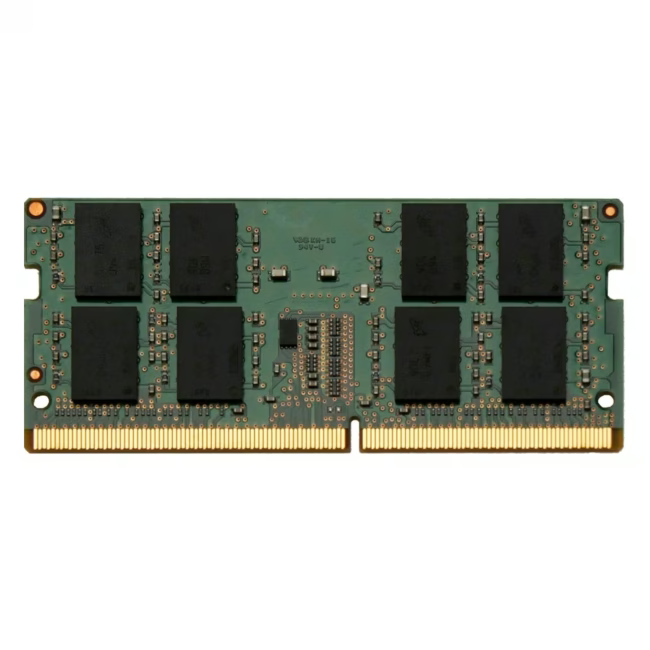
The Panasonic FZ-BAZ2032 is a 32GB DDR4 SO-DIMM RAM module designed to upgrade the memory of compatible Panasonic Toughbook laptops and mobile computing devices. With a capacity of 32 GB and a speed of 3200 MHz, it delivers the bandwidth needed for demanding multitasking, data processing, and professional workloads on the go.
32 GB DDR4 memory provides ample capacity for running multiple applications simultaneously without slowdowns
3200 MHz clock speed ensures fast data transfer rates for responsive system performance
SO-DIMM form factor fits standard laptop memory slots in Panasonic Toughbook FZ-55mk2 and compatible models
1.2V low-voltage DDR4 module reduces power consumption and heat generation compared to older DDR3 technology
260-pin DDR4 SO-DIMM with Non-ECC error correction for reliable operation in mobile environments
Das zeichnet das Panasonic FZ-BAZ2032 aus
Unlike standard desktop memory, this SO-DIMM module is engineered for the compact, rugged form factor of Panasonic Toughbook laptops. The 1.2V operating voltage and 3200 MHz speed class make it one of the faster mobile DDR4 options available, while the single-module configuration allows straightforward installation without removing existing memory.
Ideal für...
Professionals who rely on Panasonic Toughbook FZ-55mk2 laptops in field service, logistics, healthcare, or construction environments where reliable, high-capacity memory is essential for running business applications, databases, and communication tools without interruption.
Anwendung von Panasonic FZ-BAZ2032
Power off the Toughbook laptop and disconnect all cables
Locate the SO-DIMM memory slot on the motherboard
Insert the module at a 30-degree angle and press firmly until it clicks into place
Reconnect power and verify the 32 GB capacity in the system BIOS or operating system
Panasonic is a global electronics manufacturer headquartered in Osaka, Japan, with over a century of experience in consumer and industrial electronics. The brand is widely recognised for its Toughbook line of rugged laptops and mobile computing devices, which are designed for durability in demanding professional environments. Panasonic's memory modules, including the FZ-BAZ2032, are engineered to meet the specific requirements of their Toughbook systems, ensuring compatibility, reliability, and performance under field conditions. The company maintains a strong reputation for quality control and long-term product support across its hardware portfolio.
The FZ-BAZ2032 is a 32GB DDR4 SO-DIMM memory module designed to upgrade the RAM in compatible Panasonic Toughbook laptops, including the FZ-55mk2. It provides high-capacity, high-speed memory for multitasking, data processing, and professional applications on mobile devices.
The module is compatible with Panasonic Toughbook laptops that use SO-DIMM DDR4 memory slots, specifically the Toughbook FZ-55mk2 and other Panasonic models that accept PC4-25600 DDR4 SO-DIMM modules. Always verify the exact model compatibility before purchasing.
32 GB DDR4 capacity, 3200 MHz clock speed, 1.2V operating voltage, 260-pin SO-DIMM form factor, Non-ECC error correction, single module configuration. The module operates at PC4-25600 speed class and is designed for low-power mobile computing environments.
Power off the laptop and disconnect all cables. Locate the SO-DIMM slot on the motherboard, insert the module at a 30-degree angle, and press firmly until it clicks into place. Reconnect power and confirm the 32 GB capacity is recognised in the BIOS or operating system.
The module is covered by Panasonic's standard 24-month manufacturer warranty, which provides long-term reliability assurance for the memory component under normal operating conditions.
Subscribe to the newsletter
New arrivals, promotions and exclusive offers — straight to your inbox.




Please complete your information below to login.
Sign In
Create New Account