Logitech Logi Bolt USB Receiver – Secure and Interference-Free Wireless Connection
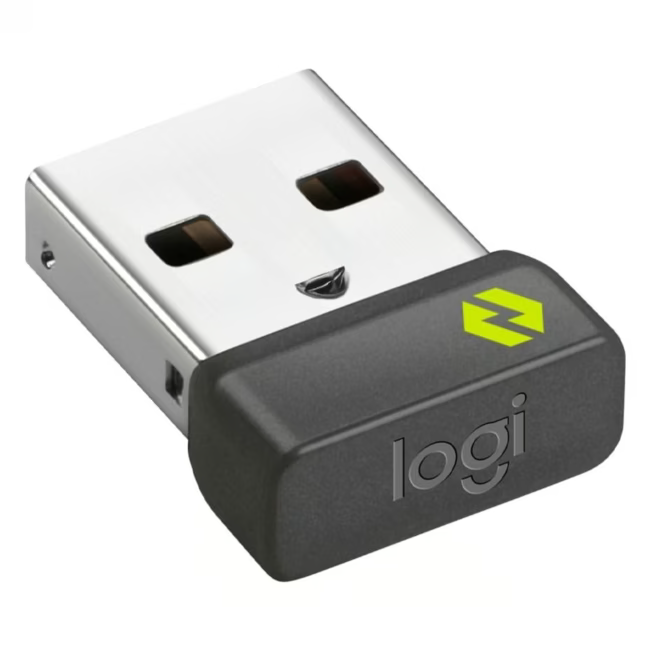
The Logitech Logi Bolt USB Receiver is a compact wireless receiver from the Logi Bolt family. It wirelessly connects Logi Bolt-compatible keyboards, mice, and other input devices to your computer. The proprietary Logi Bolt protocol was specially developed for professional environments with many radio sources.
Seamless Plug & Play installation: The Logi Bolt receiver is instantly recognized by the operating system without driver installation and is ready to use with all Logi Bolt devices.
AES-128 encryption: Every radio connection between the receiver and the connected device is automatically encrypted with AES-128, protecting your keystrokes and mouse movements from unauthorized access.
Multitasking with up to six devices: A single receiver can manage up to six Logi Bolt devices simultaneously. You can seamlessly switch between different keyboards and mice without having to re-pair them.
Interference-free connection: Thanks to intelligent frequency management, the receiver actively avoids interference with Wi-Fi and Bluetooth frequencies, ensuring a stable connection in dense radio environments.
Compact and mobile: Weighing just 20 grams and measuring approximately 2x1x0.5 cm, the receiver is extremely portable. It can remain permanently in the USB port without protruding or causing obstruction.
What sets the Logi Bolt USB Receiver apart
Unlike older Logitech Unifying receivers, the Logi Bolt receiver uses a more modern protocol with mandatory AES-128 encryption. It is backward compatible with existing Logi Bolt devices and offers lower latency than Bluetooth. Simultaneous connection of multiple devices is possible without installing additional software.
Ideal for...
This USB receiver has been specifically designed for business and professional environments. It is an excellent choice for offices, home offices, and IT administrators who require a reliable, interference-free, and secure wireless connection. It is also ideal in medical or educational facilities where radio interference is critical.
How to use the Logi Bolt USB Receiver
Usage is straightforward: Plug the Logi Bolt USB receiver into a free USB port on your computer. Turn on your Logi Bolt-compatible input device – the connection is established automatically and encrypted with AES-128. Optionally, you can download Logitech Options+ software to adjust advanced settings such as key assignments or pointer speed. The receiver can remain plugged in permanently for continuous use.
Logitech is a leading Swiss manufacturer of computer peripherals and accessories. Founded in 1981 and headquartered in Lausanne and Newark (California), the company is known for innovative mice, keyboards, webcams, and audio/video conferencing solutions. Logitech combines decades of experience with cutting-edge technology.
The Logitech Logi Bolt USB Receiver is a wireless receiver that establishes a secure and stable wireless connection between Logi Bolt-compatible keyboards, mice, and other input devices and your computer.
The receiver is compatible with all Logitech Logi Bolt-compatible keyboards, mice, and other input devices. It is not compatible with Bluetooth devices or older Logitech Unifying receivers.
The wireless range is up to 10 meters. Data transmission is secured with AES-128 encryption, protecting your inputs from unauthorized access.
Installation is Plug & Play. Simply plug the receiver into a free USB port on your computer – no driver installation is required.
Yes, the Logitech Logi Bolt USB Receiver comes with a manufacturer's warranty of 24 months.
Subscribe to the newsletter
New arrivals, promotions and exclusive offers — straight to your inbox.




Please complete your information below to login.
Sign In
Create New Account