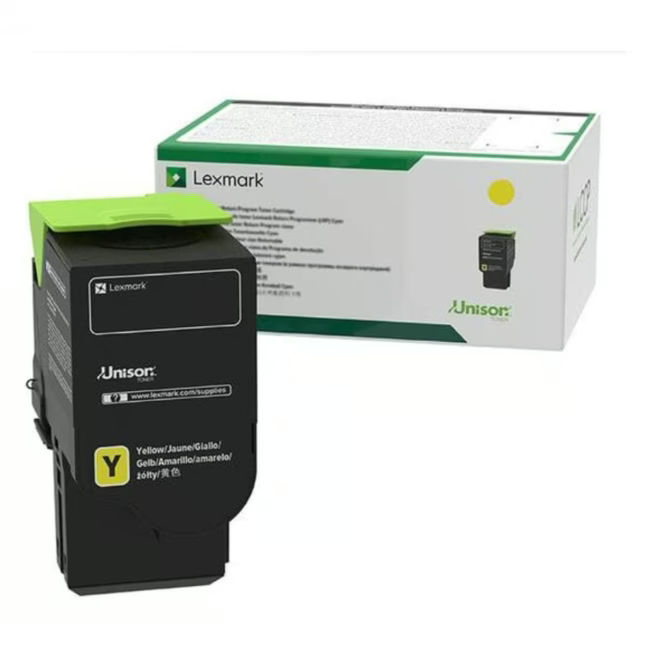
Lexmark Toner C241XY0 – Original Yellow Toner for Reliable Printing Results
The Lexmark Toner C241XY0 is an original toner cartridge in yellow, specifically designed for a range of Lexmark printers. With a high yield of up to 3500 pages, it ensures long-lasting, crisp prints.
Original Lexmark toner guarantees consistently high print quality and prevents damage to the printer.
The high yield of 3500 pages reduces the frequency of cartridge changes, saving time and money.
The yellow toner color produces vibrant and precise colors for professional documents and graphics.
Simple installation allows for a quick and hassle-free cartridge replacement.
What Sets the Lexmark Toner C241XY0 Apart
As an original Lexmark product, compatibility and functionality with the corresponding printer models are guaranteed. The cartridge is part of the Rainbow Kit concept, which enables easy and clean handling.
Ideal for...
This toner is suitable for offices and workgroups that rely on a reliable and cost-effective printing solution. It is the perfect choice for those who value original consumables and consistent print quality.
How to Use the Lexmark Toner C241XY0
Open the front cover of your Lexmark printer and remove the empty toner cartridge. Insert the new cartridge until it clicks into place, then close the cover. The printer is immediately ready for use.
Lexmark is an American manufacturer of printers and printing accessories. The company is known for its reliable and innovative printing solutions for business and home environments. Lexmark places great emphasis on quality and sustainability, which is reflected in the production of durable products and consumables.
The Lexmark Toner C241XY0 is an original toner cartridge in yellow, designed for use in compatible Lexmark printers.
The toner is compatible with a variety of Lexmark printer models. Please refer to the manufacturer's compatibility list for details.
The page yield of the Lexmark Toner C241XY0 is up to 3500 pages.
Yes, the Lexmark Toner C241XY0 is an original Lexmark product and not a replica.
Open the front cover of the printer, remove the old cartridge, and insert the new one until it clicks into place. Close the cover, and the printer is ready.
Subscribe to the newsletter
New arrivals, promotions and exclusive offers — straight to your inbox.




Please complete your information below to login.
Sign In
Create New Account