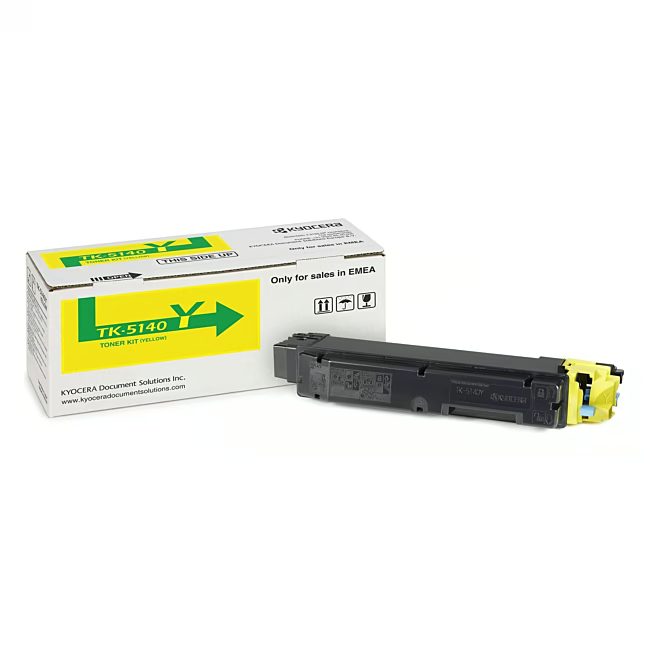
The Kyocera TK-5140Y is an original toner in yellow, specifically designed for the Kyocera printer models M6x30cdn and P6130cdn. With a print yield of approximately 5,000 pages at 5% coverage, it ensures smooth and cost-efficient printing operations.
Original Kyocera toner guarantees consistently high print quality and sharp documents.
The high print yield of approximately 5,000 pages reduces the frequency of toner replacements and lowers operating costs.
Simple installation allows for a quick and effortless toner replacement in your printer.
The formulation specifically tailored to Kyocera devices protects your printer from wear and residue.
What sets the Kyocera TK-5140Y apart
As an original Kyocera product, the TK-5140Y is perfectly matched to the technology of the M6x30cdn and P6130cdn. This compatibility ensures reliable performance and a long lifespan for your printer. The vibrant yellow color ensures precise and color-accurate prints.
Ideal for...
The Kyocera TK-5140Y is ideal for offices and workgroups that rely on reliable color printing. It is particularly suitable for daily use in environments with medium to high print volumes, where consistent quality and efficiency are crucial.
How to use the Kyocera TK-5140Y
Open the front cover of your Kyocera printer and remove the empty toner. Insert the new TK-5140Y toner into the designated guide until it clicks into place. Close the cover and perform a test print to confirm correct installation.
Kyocera is a Japanese technology conglomerate known for its reliable printers and multifunction devices. The company offers a broad range of document solutions for businesses and individuals. Kyocera places a strong emphasis on the longevity and efficiency of its products. The brand stands for quality and innovation in printing technology.
The Kyocera TK-5140Y toner is specifically designed for the Kyocera printer models M6x30cdn and P6130cdn.
The toner has a print yield of approximately 5,000 pages at 5% coverage.
Yes, the TK-5140Y is an original Kyocera product and not a replica or part of a rainbow kit.
The toner is yellow.
Open the front cover of the printer, remove the empty toner, and insert the new TK-5140Y until it clicks into place. Close the cover and perform a test print.
Subscribe to the newsletter
New arrivals, promotions and exclusive offers — straight to your inbox.




Please complete your information below to login.
Sign In
Create New Account