Kensington Expert Mouse Wired Trackball – Precise Trackball for Comfortable Work
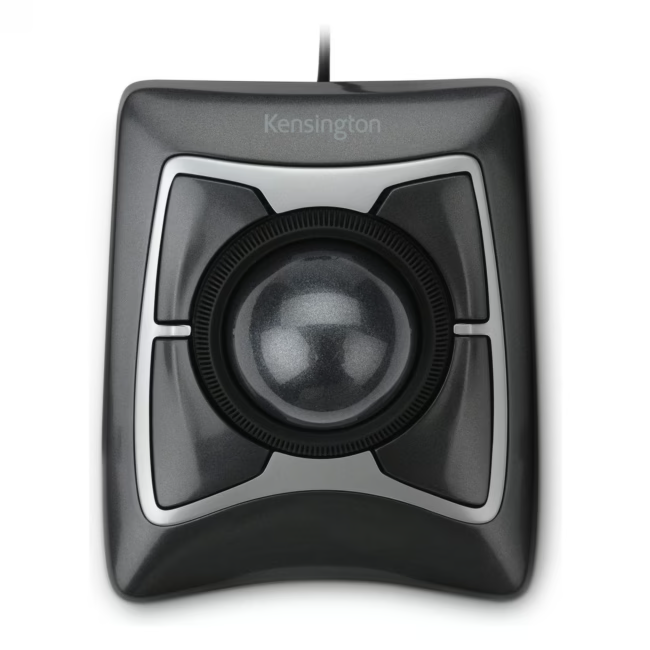
The Kensington Expert Mouse Wired Trackball is a wired trackball designed for both right-handed and left-handed users. With its large ball and programmable buttons, it provides precise cursor control without hand movement.
The large ball enables precise cursor control and reduces fatigue – ideal for long work sessions.
Programmable buttons adapt to your workflows and increase efficiency.
The wired USB-A connection ensures reliable data transmission without latency.
The universal design suits both right- and left-handed users equally.
Weighing 0.6 kg, the trackball sits stably on the desk.
What sets the Kensington Expert Mouse Wired Trackball apart
Unlike traditional mice, the trackball requires no mouse pad movement, which is especially beneficial in tight spaces or on the go. The combination of a large ball and programmable buttons makes it a versatile tool for professional users.
Ideal for...
This trackball is particularly suitable for office workers, graphic designers, and programmers who value precise control and ergonomic work. It is also a practical alternative in confined workspaces or when traveling.
How to use the Kensington Expert Mouse Wired Trackball
Simply connect the trackball to your computer via the included USB-A cable. Installation is automatic – no drivers required. Roll the ball with your fingers or palm to move the cursor and use the buttons for clicks and other actions. The buttons can be customized using the Kensington software.
Kensington is a leading provider of computer accessories, specializing in security solutions and input devices. The brand stands for quality and reliability in professional environments.
The Kensington Expert Mouse Wired Trackball is a wired trackball with programmable buttons and USB-A interface. It serves as a mouse replacement and enables precise cursor control by rolling the ball.
The trackball is compatible with Windows, macOS, and Linux. Installation is plug-and-play without additional drivers.
The trackball connects to the computer via a fixed USB-A cable. It supports USB 2.0 and higher.
The package includes the Kensington Expert Mouse Wired Trackball and a USB-A cable. The user manual is available online.
The buttons can be customized with the Kensington software (available for Windows and macOS). You can assign macros, keyboard shortcuts, or applications.
Subscribe to the newsletter
New arrivals, promotions and exclusive offers — straight to your inbox.




Please complete your information below to login.
Sign In
Create New Account