Jabra 14201-33 EHS Adapter – Connect Your Headset to Avaya Phones
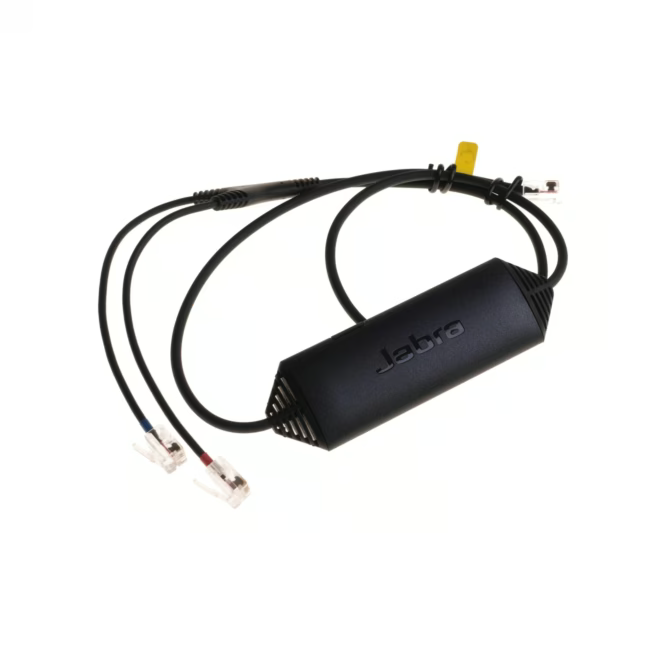
The Jabra 14201-33 EHS adapter allows you to connect a headset with an RJ-9 connector to an Avaya phone with an RJ-45 input. This small accessory uses Electronic Hook Switch (EHS) technology to enable remote call control (answer/end) from your headset.
Enables professional headset use on Avaya phones – ideal for call centers and offices with Avaya phone systems.
Plug-and-play installation no external power or drivers required.
RJ-9 to RJ-45 conversion – simply plug in your headset and connect to the phone.
Compact and lightweight design for daily desk use.
What sets the Jabra EHS Adapter apart
Unlike simple cable adapters, the Jabra 14201-33 supports the EHS function, allowing you to answer and end calls directly from your headset. This boosts efficiency during frequent calls and enables hands-free communication.
Ideal for...
This adapter is aimed at professional users with Avaya phone systems, especially call center agents, customer service staff, and frequent callers who use a Jabra headset with an RJ-9 connector.
How to use the Jabra 14201-33
Insert the RJ-9 cable of your headset into the adapter (connector 1) and plug the RJ-45 connector of the adapter into the corresponding port on your Avaya phone. The adapter is recognized immediately and enables headset remote control.
Jabra is a Danish manufacturer of professional headsets and speakerphones headquartered in Copenhagen. The company is part of the GN Group and is known for high-quality communication solutions for businesses and consumers. Jabra products are characterized by innovative technology, robust build, and ergonomic design.




Please complete your information below to login.
Sign In
Create New Account