Magnetic privacy filter for MacBook Air 13.6" – protects from unwanted glances, reduces blue light and reflections. Easy magnetic attachment without adhesive.
Hyper Privacy Filter MAG MacBook Air 13.6" – Magnetic Privacy Screen for Your Confidentiality
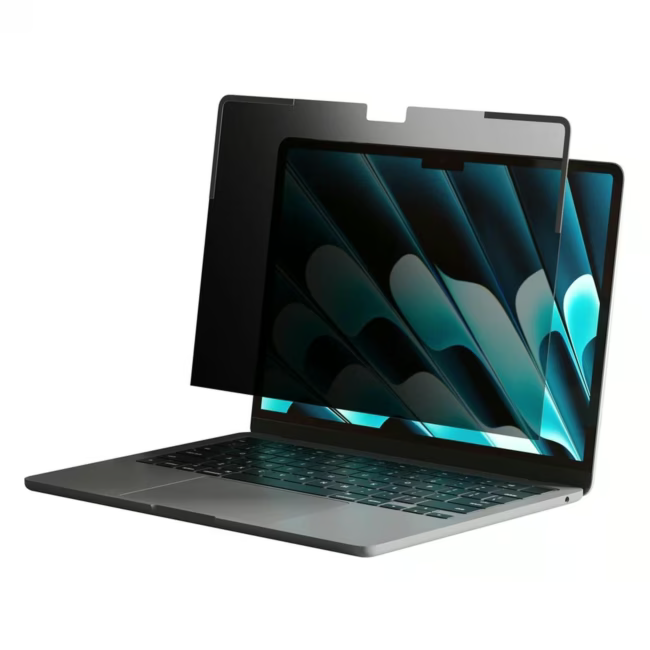
The Hyper Privacy Filter MAG is a magnetic privacy filter specifically designed for the MacBook Air 13.6 inch (2022–2024 models). It protects your data from prying eyes in public environments and reduces eye strain caused by blue light.
Magnetic attachment: The filter simply attaches magnetically to the screen – no adhesive residue and removable at any time.
80° viewing angle technology: Only the user directly in front of the screen can see the content – side glances are effectively blocked.
Matte, antibacterial surface: Reduces annoying reflections and protects against germs on the display.
Blue light filter for comfortable work: The integrated blue light reduction relieves the eyes during long screen sessions.
24-month manufacturer warranty for long-term investment security.
What sets the Hyper Privacy Filter apart
Unlike traditional adhesive films, the MAG filter offers quick, residue-free installation thanks to magnets. It is removable and reusable at any time, ideal for flexible workstations. The combination of privacy function, blue light filter and antibacterial coating makes it a true all-rounder for daily use.
Ideal for...
This privacy screen is perfect for professionals, students and frequent travelers who often work in cafes, trains or co-working spaces and want to protect their data from unwanted glances.
How to use the Hyper Privacy Filter
First remove the protective film from the magnetic rail of the filter. Attach the rail to the top edge of the MacBook Air screen. The filter itself holds magnetically to the rail and can be easily removed when needed. Clean the surface occasionally with a microfiber cloth.
HYPER offers a range of tech accessories, including privacy filters, chargers, and cables. The products are known for their ease of use and practical features. They are valued by users who prioritize privacy and efficient working.




Please complete your information below to login.
Sign In
Create New Account