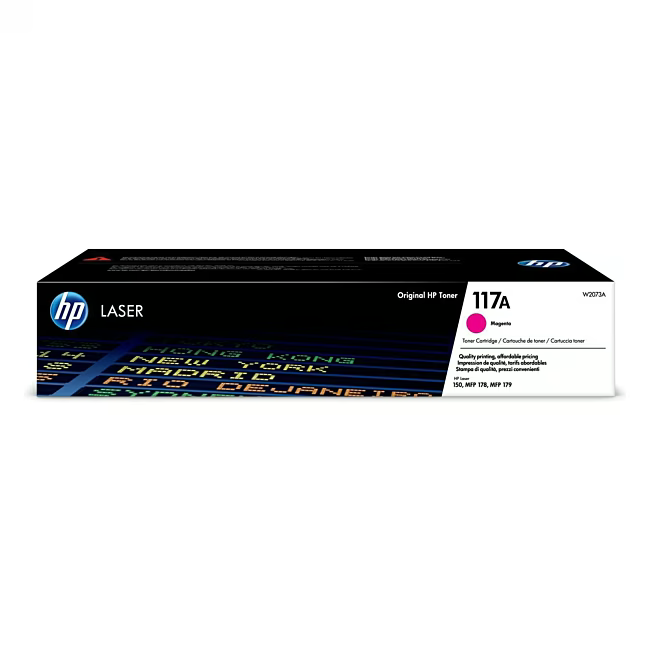
HP Toner 117A Magenta – Original Quality for Sharp Colour Prints
The HP Toner No. 117A (W2073A) in Magenta is an original consumable for HP laser printers. Designed for reliable and professional colour output in everyday office use.
Original HP toner delivers sharp and consistent colour prints – for documents and presentations that impress.
With a page yield of approximately 700 pages, it reduces replacement frequency and boosts productivity.
Easy swap thanks to HP's design – no technical expertise required, ready in minutes.
Eco-friendly: Original HP toners are recyclable and meet strict environmental standards.
What sets the HP Toner 117A apart
Unlike refill or third-party toners, the HP original guarantees consistently high print quality. Each toner is rigorously tested to prevent defects and smudging. The fine-tuning to HP printers ensures precise colour reproduction and long device life.
Ideal for...
Users who rely on professional colour prints – from small businesses to departments in large enterprises. Particularly suitable for daily use in HP LaserJet printers that support the 117A toner.
How to use the HP Toner 117A
1. Turn off the printer and open the toner door. 2. Remove the empty cartridge and gently shake the new toner. 3. Remove the protective film and insert the toner until it clicks into place. 4. Close the door and perform a test print.
HP (Hewlett-Packard) is a leading manufacturer of printers and printing accessories. Original HP toners guarantee optimal print quality and reliability.
The HP Toner 117A (W2073A) in Magenta is an original toner cartridge for HP laser printers. It is designed for colour printing and delivers sharp results.
The 117A toner is compatible with HP LaserJet printers that support the 117A model. This includes various models from the HP Color LaserJet Pro and HP Color LaserJet Enterprise series.
The page yield is approximately 700 pages at 5% coverage. It is ideal for small to medium print volumes in the office.
Yes, it is an original HP toner. It is manufactured by HP and meets the highest quality and compatibility standards.
Turn off the printer, open the toner door, remove the old cartridge, and insert the new one. Remove the protective film first. A click confirms proper placement.
Subscribe to the newsletter
New arrivals, promotions and exclusive offers — straight to your inbox.




Please complete your information below to login.
Sign In
Create New Account