Gigabyte Z890M GAMING X – Powerful micro-ATX Motherboard for Intel Core Ultra Processors
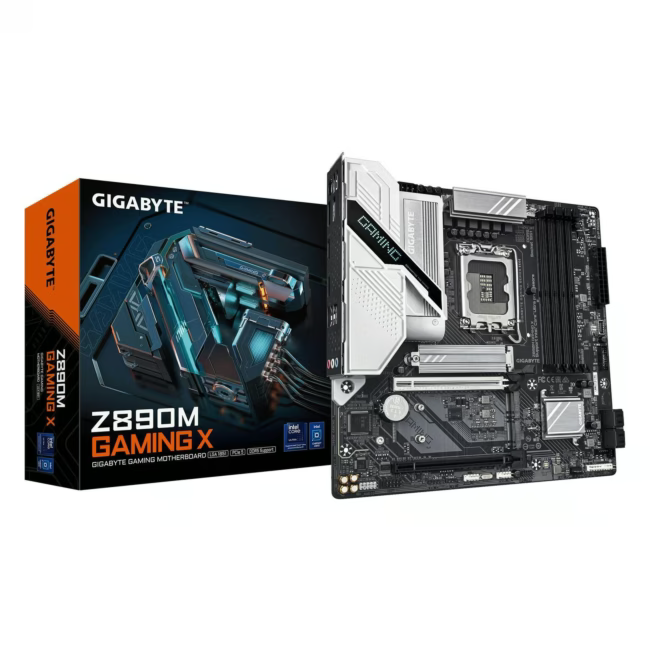
The Gigabyte Z890M GAMING X is a micro-ATX motherboard with Intel Z890 chipset, designed for Intel Core Ultra processors (LGA1851). It supports DDR5 memory and provides a solid foundation for gaming and productivity PCs.
Supports latest-gen Intel Core Ultra processors for maximum computing performance.
Four DDR5 slots enable fast and ample memory.
Micro-ATX form factor fits compact cases while offering extensive expansion options.
Intel Z890 chipset for reliable performance and modern connectivity.
What sets the Z890M GAMING X apart
The Gigabyte Z890M GAMING X combines the powerful Intel Z890 chipset with the compact micro-ATX form factor. It offers four DDR5 slots and an LGA1851 socket for modern Intel Core Ultra processors. This makes it ideal for performance-oriented PCs that require little space.
Ideal for...
This motherboard is ideal for gamers and PC enthusiasts who want to build a compact system with current technology. It is also an excellent choice for multimedia PCs and high-performance workstations.
How to use the Z890M GAMING X
Install the motherboard in a micro-ATX or compatible ATX case. Mount an Intel Core Ultra processor (LGA1851) and DDR5 RAM. Connect your graphics card and storage devices. Follow the included manual for proper installation.
Gigabyte is a Taiwanese manufacturer of computer hardware, known for motherboards, graphics cards, and peripherals. The brand stands for quality and innovation in the PC space.
The Gigabyte Z890M GAMING X is a micro-ATX motherboard with Intel Z890 chipset for Intel Core Ultra processors (LGA1851) and DDR5 memory. It is particularly suited for gaming and performance PCs.
The motherboard supports Intel Core Ultra processors with LGA1851 socket. Please check the exact supported models on the manufacturer's website.
It uses DDR5 memory modules. The motherboard has four slots.
The motherboard has the micro-ATX form factor. It fits most micro-ATX and ATX cases.
No, the motherboard does not have built-in Wi-Fi. You can add a Wi-Fi adapter via a PCIe slot or USB.
Subscribe to the newsletter
New arrivals, promotions and exclusive offers — straight to your inbox.




Please complete your information below to login.
Sign In
Create New Account