Delock PCI Express x16 Card – M.2 Key M for Additional M.2 Slots
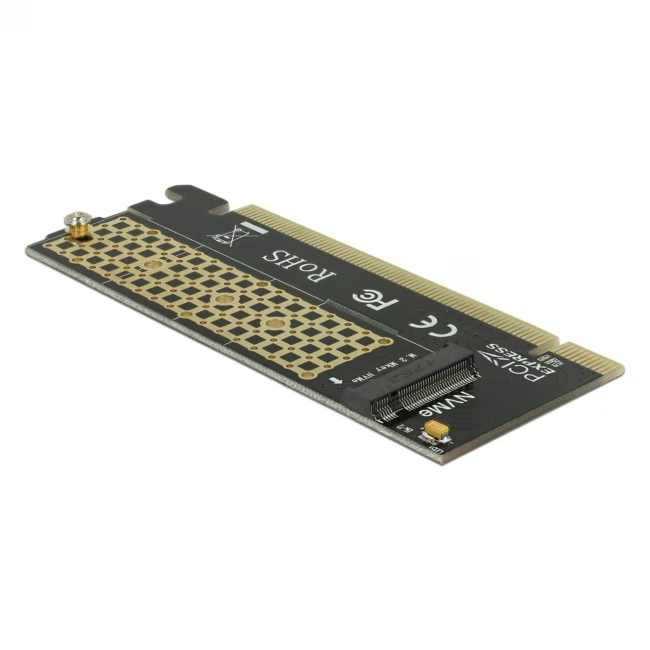
The Delock PCI Express x16 Card converts a PCIe x16 slot into an M.2 Key M connector. You can add an M.2 port to your computer, for example for a fast M.2 SSD or other M.2 PCIe devices.
Easy retrofitting: fits any PCIe x16 slot – ideal for PCs with no or few M.2 connectors.
Flexible use: supports M.2 Key M modules with 67-pin format (2230, 2242, 2260, 2280) – depending on BIOS and operating system.
Full bandwidth: the PCI-Express x16 interface provides high data transfer rates for high-performance M.2 SSDs.
Simple installation: screwless M.2 retention – insert the module, secure the card, ready.
Compact design: small footprint, no additional cables required.
What Sets the Delock PCI Express x16 Card Apart
Unlike USB or SATA-based solutions, this card uses the full PCIe bandwidth and supports the NVMe protocol (if the BIOS/UEFI allows it). The M.2 Key M slot is designed for PCIe SSDs and other M.2 PCIe cards. A stable, durable build and high-quality processing from Delock ensure reliable operation.
Ideal for...
PC enthusiasts looking to upgrade their desktop: if the motherboard has only one or no M.2 slot, this card can add an additional M.2 connector – perfect for multimedia workstations, gaming PCs, or small servers.
How to Use the Delock PCI Express x16 Card
Power down your PC and open the case.
Insert the card into a free PCIe x16 slot and secure it with the case screw.
Insert the M.2 module into the M.2 slot on the card and press it gently into place.
Close the case, start the PC, and enable NVMe or PCIe boot in the BIOS if necessary.
Delock is a German manufacturer of cables, adapters, and computer accessories. The company offers a wide range of products for connectivity, multimedia, and storage expansion. Delock solutions are known for high compatibility and reliable workmanship.




Please complete your information below to login.
Sign In
Create New Account