Delock M.2 Docking Station – Fast Data Transfers and Flexible Storage Expansion
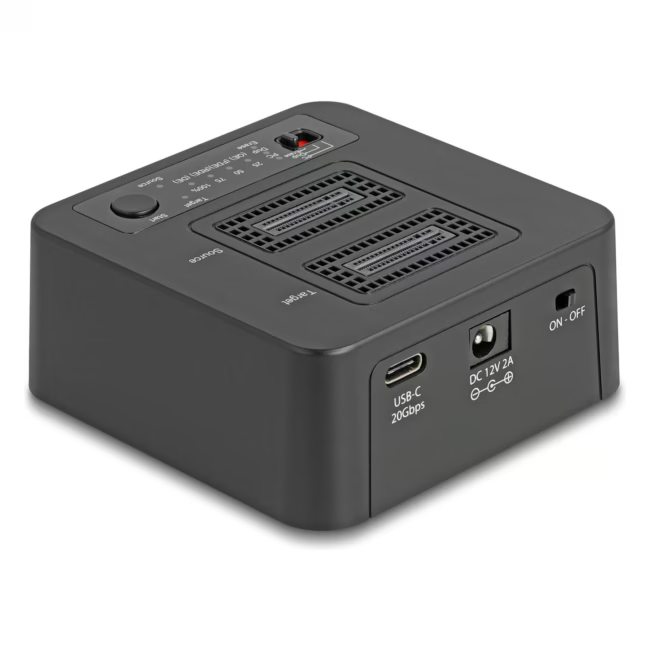
The Delock M.2 Docking Station allows connection of up to two M.2 NVMe PCIe SSDs via USB Type-C. Ideal for fast data transfers, drive cloning, or secure data erasure.
Clone SSDs with one click – perfect for system migrations and backups.
Erase data permanently and securely – suitable for drive handover or disposal.
External power supply for stable power during intensive write operations.
Plug & Play via USB Type-C – no driver required on Windows, Mac, and Linux.
Compact black design – fits on any desk.
What sets the Delock M.2 Docking Station apart
Unlike simple USB adapters, the docking station provides two independent M.2 slots. You can clone two SSDs simultaneously or transfer data between them without reconnecting the computer multiple times.
Ideal for...
The docking station is designed for IT administrators, system builders, and hobbyists who regularly clone SSDs, back up data, or securely erase drives. Also suitable for home users looking for a fast external SSD solution.
How to use the Delock M.2 Docking Station
1. Connect the external power supply to the docking station. 2. Insert the M.2 SSDs into the slots. 3. Connect the docking station to your computer via USB Type-C. 4. The SSDs are automatically recognized. Use the one-button clone function or perform a secure erase.
Delock is a German manufacturer of IT accessories, known for adapters, cables, and docking stations. The company offers solutions for professional users and enthusiasts. Delock products stand out for their compatibility and build quality.
The Delock M.2 Docking Station is a device for connecting up to two M.2 NVMe PCIe SSDs via USB Type-C. It enables fast data transfer, cloning, and secure erasure of SSDs.
The docking station supports M.2 NVMe PCIe SSDs. For exact dimensions and compatibility, please refer to the manufacturer's documentation.
Insert the source and target SSDs, press the clone button – the docking station copies the data autonomously without requiring a computer.
Yes, the SSDs are recognized as normal external drives and can be used like USB sticks. The station can also be used for simple data transfer.
The station works with Windows, Mac, and Linux. It is Plug & Play and requires no additional drivers.
Subscribe to the newsletter
New arrivals, promotions and exclusive offers — straight to your inbox.




Please complete your information below to login.
Sign In
Create New Account