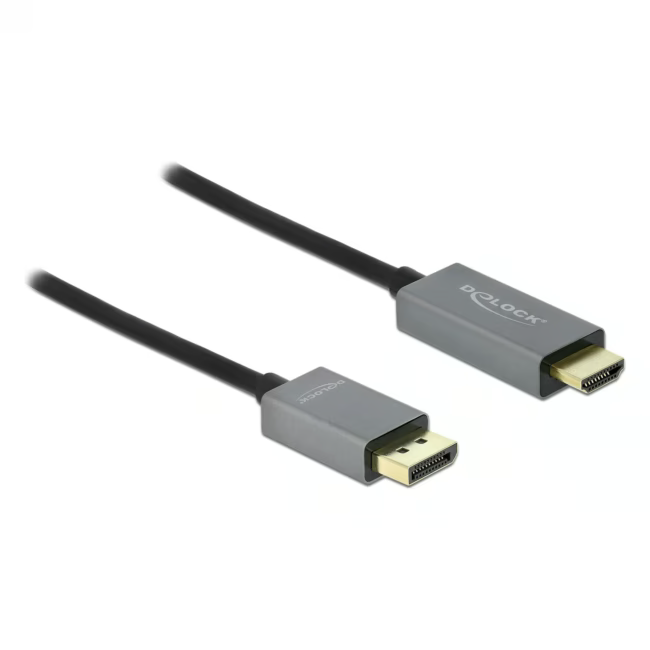
This Delock cable connects DisplayPort sources (PC, laptop) to HDMI displays (monitor, TV). It supports HDR content and transmits video resolutions up to 3840x2160 at 60 Hz.
Active signal conversion ensures reliable transmission even over longer cable paths
HDR support delivers vibrant colors and contrast for movies and games
DisplayPort 1.4 and HDMI 2.0 – compatible with common graphics cards and displays
1 m length offers flexibility in device placement
24 months manufacturer warranty for long-term investment security
What sets the Delock DisplayPort-HDMI Cable apart
Thanks to the active chip, the signal is converted without quality loss – ideal for systems without a native HDMI output. The slim design and gold-plated contacts minimize interference and corrosion.
Ideal for...
Gamers and multimedia users who want to connect a PC with DisplayPort to an HDMI monitor or TV. The cable is also suitable for presentations and home cinema thanks to HDR and 4K support.
How to use the Delock DisplayPort-HDMI Cable
Connect the DisplayPort connector to the graphics card, the HDMI connector to the monitor or TV. The cable is ready to use – no driver installation required. Ensure both devices support HDR and 4K to take full advantage of the performance.
Delock is a German manufacturer of cables, adapters and accessories for IT, multimedia and networking. The products are known for high compatibility and solid build quality. Delock offers a wide range of standard and special cables for professional users.
An active cable contains an integrated chip that converts the DisplayPort signal to HDMI. This ensures stable transmission without the need for an additional adapter.
The cable transmits 4K at 60 Hz. It is backward compatible with lower resolutions such as 1080p.
The cable fits any DisplayPort output (standard 1.4) and any HDMI input (standard 2.0). Check that your monitor or TV has an HDMI input.
The package includes the DisplayPort-HDMI connecting cable in black, 1 meter in length.
Avoid sharp bends and pulling. Insert and remove connectors carefully. Clean with a dry cloth if needed.
Subscribe to the newsletter
New arrivals, promotions and exclusive offers — straight to your inbox.



Please complete your information below to login.
Sign In
Create New Account