Delock USB-C to RS-232 adapter with 9 LED signal indicators for diagnostics. External form factor, Plug & Play, ideal for industrial and retro hardware.
Delock Adapter USB-C to Serial DB9 RS-232 – Reliable Interface Converter with LED Indicators
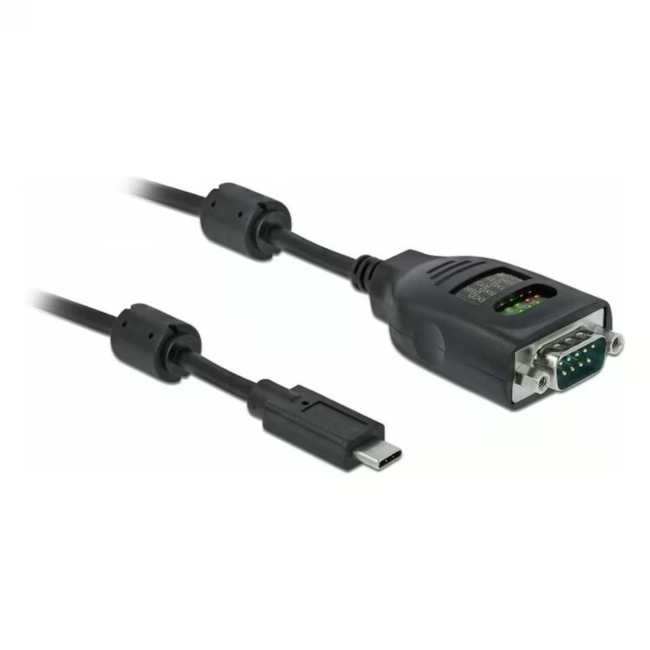
The Delock Adapter USB-C to Serial DB9 RS-232 converts a USB-C port into an RS-232 serial interface. This compact external device is ideal for connecting legacy equipment such as modems, industrial controllers, or cash registers to modern computers.
Simple connection of RS-232 devices via USB-C – no modification required.
Unlike simple passive cables, this adapter offers active conversion with signal level adaptation. The 9 LEDs visualize data transfer and facilitate diagnosis of connection issues.
Ideal for...
Technicians, IT administrators, and electronics hobbyists who need to connect legacy RS-232 devices to modern USB-C computers. Also suitable for industrial applications and network equipment configuration.
How to use the Delock Adapter
Plug the adapter into a free USB-C port on your computer and connect the RS-232 device via a DB9 female cable to the adapter's male connector. The adapter is automatically recognized. On Windows, a COM port appears; on Linux, a ttyUSB0 device.
Delock is a German manufacturer of computer accessories and network technology. The company offers a wide range of cables, adapters, and interface solutions for professional and private users. Delock products are known for solid workmanship and compatibility with common standards.
It is an external adapter that converts a USB-C port into an RS-232 serial interface with a DB9 male connector. It is used to connect legacy serial devices to modern computers.
It works with any computer that has a USB-C port and with RS-232 devices such as modems, barcode scanners, scales, industrial controllers, and routers. Operating systems: Windows, Mac, and Linux.
The 9 LEDs indicate the RS-232 signals (TXD, RXD, RTS, CTS, DTR, DSR, DCD, RI, GND). They help verify data transmission and troubleshoot connection issues.
Simply connect the adapter to a free USB-C port. Under Windows, a virtual COM port is created; under Linux, a ttyUSB0 device. No additional drivers are needed.
The manufacturer Delock provides a 24-month warranty on this adapter.
Subscribe to the newsletter
New arrivals, promotions and exclusive offers — straight to your inbox.




Please complete your information below to login.
Sign In
Create New Account