Creality Pika 3D Scanner – Wireless Scanning with AI Precision
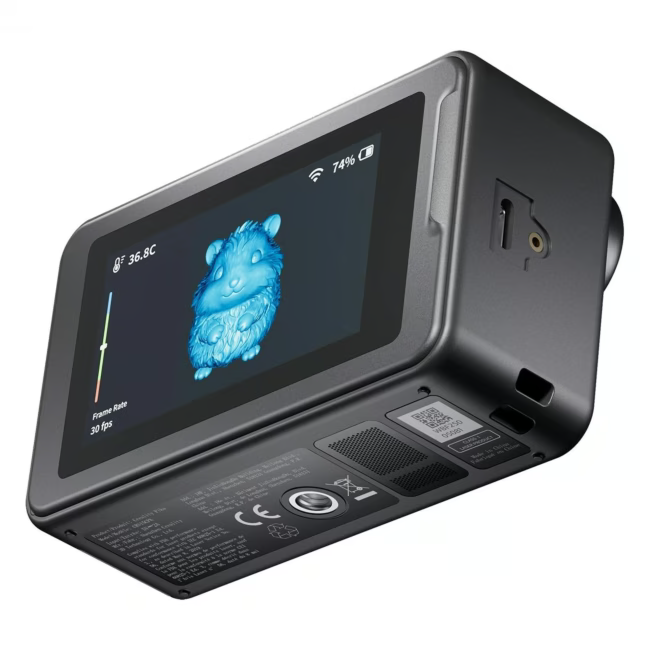
The Creality Pika is a wireless 3D scanner that digitizes objects with high accuracy. Thanks to its AI-powered processing, it reliably captures even complex geometries.
Wireless freedom enables flexible scanning without annoying cables.
AI-powered processing delivers precise results even on difficult surfaces.
Its lightweight design of only 2.1 kg facilitates mobile use in the workshop.
Easy handling makes integration into the 3D printing workflow straightforward.
What sets the Creality Pika apart
The scanner combines mobility with intelligent software. Wireless transmission reduces setup effort and allows scanning in different locations without rewiring.
Ideal for...
The Creality Pika is suitable for model builders who want to digitize spare parts or prototypes. It is also a practical solution for users in reverse engineering who want to convert physical objects into CAD models.
How to use the Creality Pika
Place the object in the scanner's capture area and start the scanning process via the associated software. The AI assembles the captured data into a closed 3D model. Then export the model for processing in your 3D printer.
Creality is a manufacturer of 3D printers and 3D scanners. The company is known for its user-friendly devices, aimed at both beginners and professionals. Creality products are used worldwide in various fields such as education, design, and manufacturing.
The Creality Pika is a wireless 3D scanner that digitizes objects with precision using AI assistance. It is designed for use in workshops and model building.
The scanner is suitable for a wide variety of objects. AI-powered processing helps capture complex geometries and surfaces. For optimal results, the object should have sufficient contrast and an appropriate size.
The Creality Pika transmits scan data wirelessly. This eliminates the need for a physical cable during the scanning process, increasing work flexibility.
The delivery includes the 3D scanner itself. The exact composition of the included components and accessories can be found on the product packaging or in the official Creality documentation.
Store the scanner in its protective case or a suitable case to protect it from dust and impacts. Clean the lenses and sensors carefully with a soft, dry cloth.
Subscribe to the newsletter
New arrivals, promotions and exclusive offers — straight to your inbox.




Please complete your information below to login.
Sign In
Create New Account