Chamberlain Indoor Button – Practical Wall Switch for Chamberlain CB Door Openers
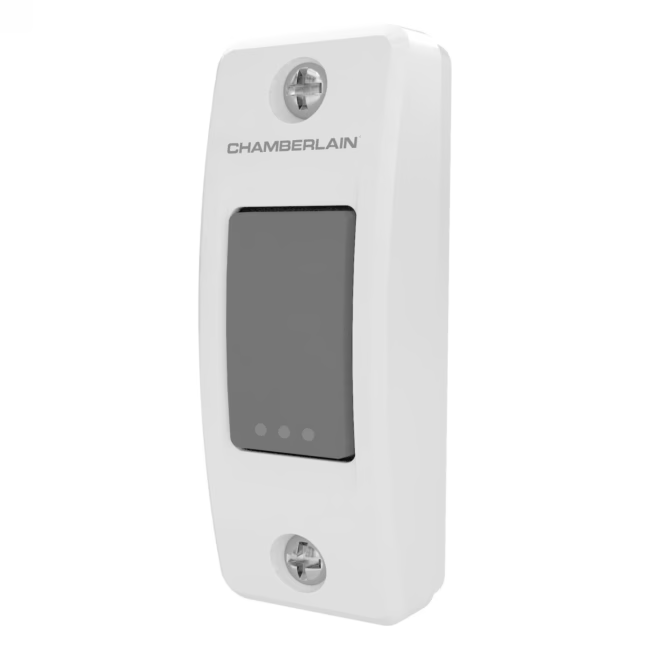
The Chamberlain Indoor Button is a compact wall switch for convenient control of Chamberlain CB door openers. With a single press, you can open or close your garage door or gate directly from inside, without needing to search for a remote. This button is the ideal addition for those who want fixed installation control.
- One-button operation: a simple press is enough to open or close the door – instant reaction for your daily routine.
- Universal compatibility: the button is compatible with all Chamberlain CB models. You can easily connect it to your existing opener, even if you upgrade the drive later.
- Discreet design: thanks to its compact size, the button blends harmoniously into any interior – whether in the garage, hallway, or utility room.
- Robust construction: manufactured by Chamberlain, a leading door opener manufacturer, you benefit from reliable quality and long service life.
- 24-month manufacturer warranty provides security: in the unlikely event of a defect, you are protected long-term – an extra plus for your investment.
What distinguishes the Chamberlain Indoor Button
The button was specifically developed for the CB series and offers seamless integration. Unlike a remote, it is fixed and always within reach – no searching, no battery changes. Installation is quick and straightforward: screw the button to the desired wall and connect it to the door opener.
Ideal for...
This wall switch is aimed at homeowners, tenants, or commercial customers who want to control their Chamberlain CB opener from a fixed indoor point. It is especially suitable for single-family homes with a garage, carport, or gate – anywhere quick and comfortable control is required.
How to use the Chamberlain Indoor Button
Choose a dry, dust-free location indoors, e.g., near the garage door or in the hallway. Mount the button with the included screws to the wall. Connect the two wires to the corresponding terminals of your Chamberlain CB opener (instructions provided). After pairing, you can open or close the door by pressing the button. If needed, you can also use the button as an additional switch alongside an existing remote.


Please complete your information below to login.
Sign In
Create New Account