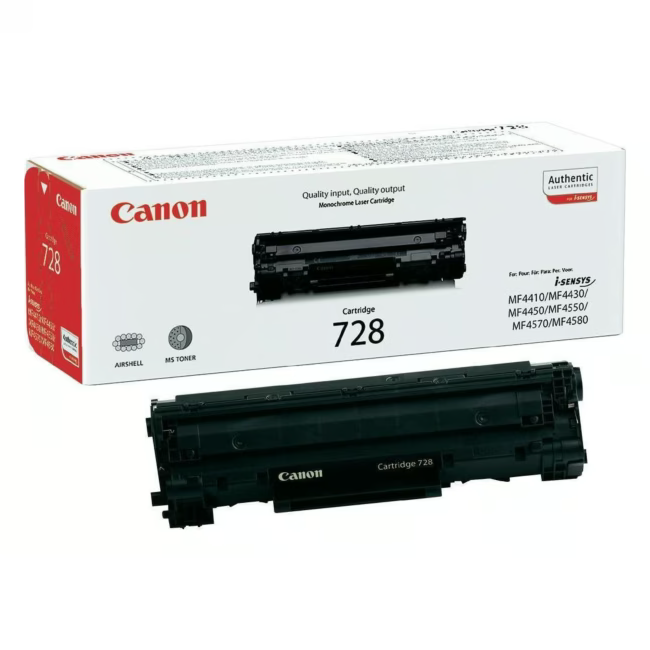
Canon CRG 728 Toner Module – Original Toner for Reliable Prints
The Canon CRG 728 toner module is an original consumable for Canon i-SENSYS MF4400 series laser printers. It delivers crisp black text prints and is designed to meet the high demands of daily office use.
Original Canon toner ensures optimal print quality and extends the printer's lifespan.
High page yield of 2100 pages – suitable for workgroups with regular printing volume.
Compatible with Canon i-SENSYS MF4410, MF4430, MF4450, and MF4570dn – easy integration into existing office environments.
Simple toner module replacement reduces downtime and maintains workflow.
What sets the Canon CRG 728 apart
Unlike third-party alternatives, the original Canon module delivers consistent print quality throughout its entire lifespan. The precise tuning to i-SENSYS models minimizes wear and extends the life of the printing mechanism.
Ideal for...
The Canon CRG 728 toner module is the ideal choice for small to medium offices that rely on reliable and cost-effective printing solutions. Particularly suited for multi-user work environments that print documents regularly.
How to use the Canon CRG 728 toner module
The toner module is designed for end-user replacement. Remove the old module, take off the protective cap of the new module, and insert it. An integrated chip informs the printer about the fill level. Follow the safety instructions in the printer manual.
Canon is a Japanese manufacturer of imaging and printing solutions known for its high-quality original products. The brand ensures optimal print quality and reliability.
The Canon CRG 728 is an original toner module for Canon i-SENSYS MF4400 series laser printers. It contains black toner and is designed for high print volumes.
The toner module is compatible with Canon i-SENSYS MF4410, MF4430, MF4450, and MF4570dn. Check the full compatibility list from the manufacturer.
The toner has a page yield of approximately 2100 pages at 5% coverage. Actual yield may vary depending on usage.
Yes, the Canon CRG 728 is an original Canon toner module, not a third-party or rainbow kit. It ensures optimal print quality and reliability.
Open the printer cover, remove the protective cap of the new toner module, and insert it. Close the cover and run a cleaning cycle if necessary. Follow the instructions in your printer manual.
Subscribe to the newsletter
New arrivals, promotions and exclusive offers — straight to your inbox.




Please complete your information below to login.
Sign In
Create New Account