Brother P-touch QL-810W – Versatile Label Printer with WLAN and USB
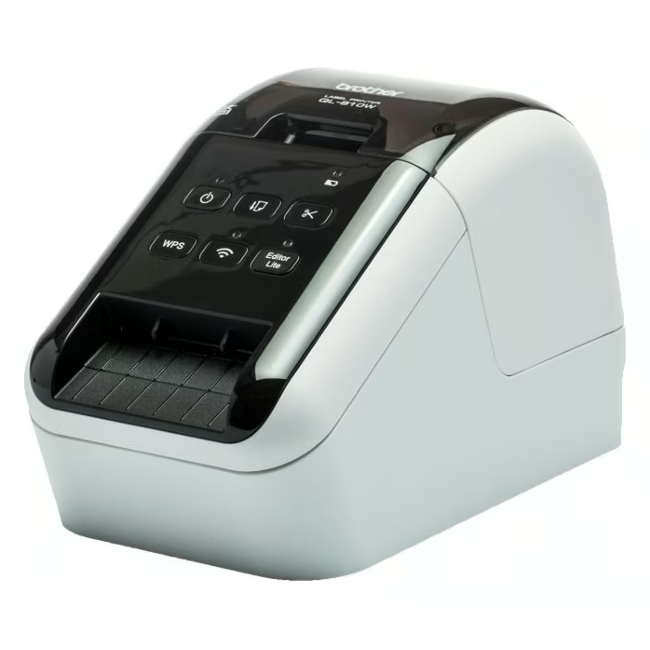
The Brother P-touch QL-810W is a compact label printer that uses direct thermal printing for crisp results. It prints labels at a speed of 176 mm per second and handles media from 12 mm to 62 mm in width.
Prints up to 176 mm per second for efficient work in the office or at home.
Flexible connectivity via WLAN and USB allows printing from various devices.
Handles label rolls from 12 mm to 62 mm wide for a variety of applications.
The red housing is robust and fits into any work environment.
Direct thermal printing saves on toner or ink costs.
What sets the Brother P-touch QL-810W apart
The printer offers high print speed and easy setup via WLAN. Its compact design and light weight of 2.6 kg make it mobile and flexible.
Ideal for...
The QL-810W is particularly suitable for small businesses, home office users, and organizations that need to regularly create shipping labels, address labels, or product markings.
How to use the Brother P-touch QL-810W
Connect the printer via USB or connect it to your WLAN network. Install the Brother software, select the desired label width, and print directly from your applications.
Brother is a global manufacturer of printers, multifunction devices, and labeling systems. The company is known for reliable and innovative products for office and home use. The P-touch series offers versatile solutions for labeling.
The Brother P-touch QL-810W is a label printer that uses direct thermal printing. It prints labels from 12 mm to 62 mm wide and is designed for use in the office or at home.
The printer has a USB interface and WLAN. This allows it to be controlled directly from computers, laptops, or mobile devices on the network.
The QL-810W prints at a speed of 176 mm per second. It handles label rolls with a width from 12 mm to 62 mm.
The delivery includes the printer, a power adapter, a USB cable, and a starter roll of labels. The exact equipment may vary depending on the retailer.
Clean the device with a dry, lint-free cloth. Do not use aggressive cleaning agents. Print head cleaning can be done via the Brother software.
Subscribe to the newsletter
New arrivals, promotions and exclusive offers — straight to your inbox.




Please complete your information below to login.
Sign In
Create New Account