Brother LC-125XLM – Original Ink Cartridge Magenta for Vibrant Prints
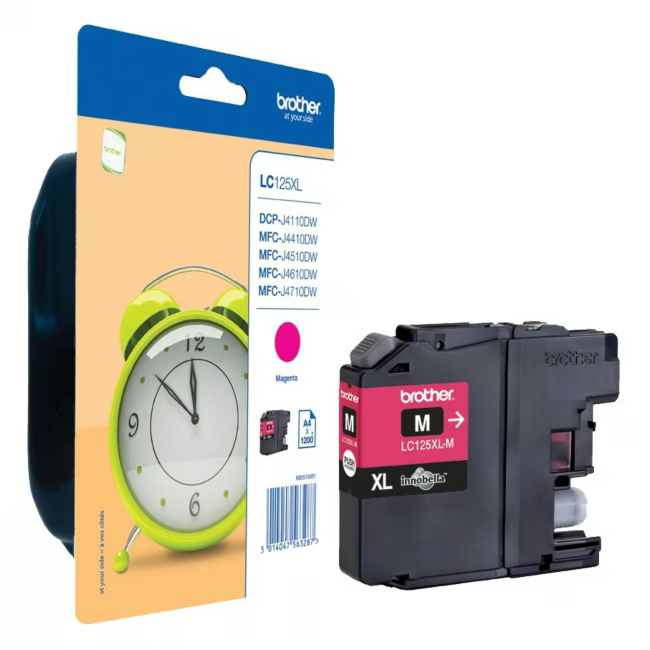
The Brother LC-125XLM is an original ink cartridge from Brother, specifically designed for printers of the LC-125 series. Its magenta color ensures vivid and precise color prints in your documents and photos.
Original Brother ink: guarantees optimal print quality and protects your print head from damage.
High yield: up to 1200 pages per ISO/IEC 24711, ideal for frequent printing.
Vibrant magenta color: for realistic color reproduction in your prints.
Easy replacement: cartridge can be changed in seconds without tools.
What sets the Brother LC-125XLM apart
As original Brother consumable, the LC-125XLM offers an ink formulation perfectly matched to Brother printers. Unlike third-party cartridges, it minimizes the risk of clogging and delivers consistent results from the first to the last page.
Ideal for...
Home users and home offices that regularly print color documents and value reliable print quality. Also suitable for occasional photo printing.
How to use the Brother LC-125XLM
Remove the new cartridge from its packaging and peel off the protective film. Open the printer cover and insert the cartridge into the designated magenta slot. Press gently until it clicks into place. Close the cover and perform a test print.
Brother is a Japanese company known for its reliable printers and multifunction devices. The brand stands for innovative printing solutions and high-quality original consumables that ensure optimal print results and device longevity.
The Brother LC-125XLM is an original magenta ink cartridge designed for Brother printers of the LC-125 series. It has a yield of 1200 pages.
The cartridge is compatible with Brother printers using the LC-125 cartridge system, such as DCP-J562DW, DCP-J762DW, MFC-J4620DW, MFC-J5620DW, MFC-J6620DW, and MFC-J6920DW.
The print yield is up to 1200 pages according to ISO/IEC 24711 at 5% coverage.
Yes, the Brother LC-125XLM is an original Brother product, not a third-party or Rainbow Kit.
Simply insert the cartridge into the designated magenta slot of the printer. Remove the protective film first and press until it clicks into place.
Subscribe to the newsletter
New arrivals, promotions and exclusive offers — straight to your inbox.




Please complete your information below to login.
Sign In
Create New Account