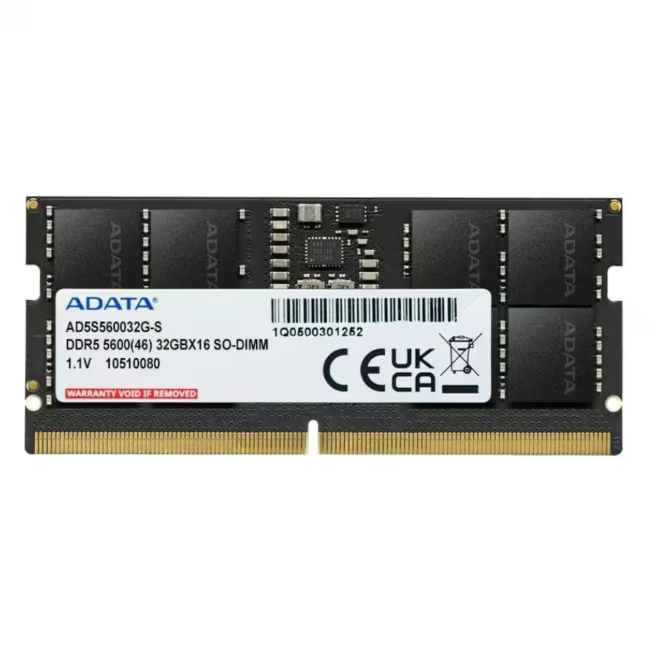
The ADATA DDR5 SO-DIMM module delivers 32GB of high-speed memory in a compact 262-pin form factor designed for modern laptops and ultrabooks.
5600MT/s data rate provides a significant bandwidth boost over DDR4 for demanding workloads
Single 32GB module supports multitasking, virtualisation, and memory-intensive applications
1.1V operating voltage reduces power consumption and heat generation compared to previous DDR generations
ECC error correction helps maintain data integrity during extended compute sessions
Das zeichnet ADATA DDR5 32GB SO-DIMM aus
Built on ADATA's industrial-grade DDR5 architecture, this module combines high transfer rates with low-voltage operation. The SO-DIMM form factor is specifically engineered for space-constrained laptop platforms where performance and reliability are both critical.
Ideal für...
Professionals and power users who run virtual machines, data processing pipelines, or creative applications on ultraportable laptops. Also suited for workstations that require ECC-protected memory for mission-critical tasks.
Anwendung von ADATA DDR5 32GB SO-DIMM
Verify laptop compatibility with DDR5 SO-DIMM 262-pin modules
Install the module into an available SO-DIMM slot
Enable XMP/EXPO profile in BIOS for rated 5600MT/s operation
Verify memory recognition and speed in system diagnostics
ADATA is a Taiwanese memory and storage manufacturer founded in 2001, widely recognised for DRAM modules, SSDs, and portable storage products. The brand supplies both consumer and enterprise-grade memory with a focus on reliability and performance, and is a common OEM partner for laptop and desktop manufacturers.
It provides high-speed 32GB of laptop memory for multitasking, virtualisation, creative workloads, and general computing in DDR5-compatible ultrabooks and mobile workstations.
The module uses a 262-pin SO-DIMM form factor and DDR5 standard. Verify that your laptop supports DDR5 SO-DIMM memory and has an available slot before purchasing.
ADATA provides a 120-month manufacturer warranty on this memory module, covering defects in materials and workmanship under normal operating conditions.
Power off the laptop, disconnect the battery, locate the SO-DIMM slot, align the module at an angle, press firmly until it clicks into place, and reassemble.
Subscribe to the newsletter
New arrivals, promotions and exclusive offers — straight to your inbox.




Please complete your information below to login.
Sign In
Create New Account