Acer USB-C Docking D501 expands Chromebook connectivity with HDMI, DisplayPort, USB-A, USB-C, RJ45, and audio ports — one cable for power, data, and video.
Acer USB-C Docking D501 – Universal Docking Station for Chromebooks
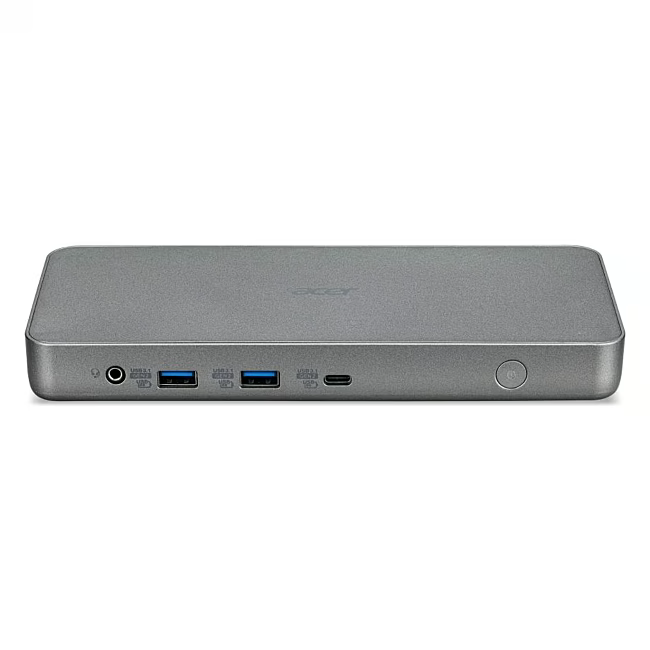
The Acer USB-C Docking D501 is a compact docking station designed to expand the connectivity of Acer Chromebooks through a single USB-C cable. It transforms a portable laptop into a full workstation with multiple ports for peripherals, displays, and network connections.
One USB-C connection delivers power, data, and video to the Chromebook simultaneously
HDMI and DisplayPort outputs support external monitors for expanded screen space
USB-A and USB-C ports connect keyboards, mice, storage devices, and other peripherals
RJ45 Ethernet port provides a stable wired network connection
Das zeichnet Acer USB-C Docking D501 aus
Unlike multi-dongle setups that clutter USB ports, the D501 consolidates all essential connectivity into one dock. Its compact chrome design fits seamlessly on any desk, and the universal USB-C compatibility means no proprietary adapter is needed — just plug in and work.
Ideal for...
Chromebook users in education, office, or home-office environments who need to connect multiple peripherals and external displays without managing several adapters. Also suited for teams that standardise on Acer Chromebooks and require a consistent docking solution across devices.
Anwendung von Acer USB-C Docking D501
Connect the dock to the Chromebook via the USB-C port
Plug in the HDMI or DisplayPort cable to an external monitor
Connect peripherals — keyboard, mouse, USB drive — to the USB-A or USB-C ports
Attach the RJ45 Ethernet cable for a wired network connection
The dock supplies power to the Chromebook via the USB-C link
Acer is a Taiwanese technology company founded in 1976, headquartered in Taipei. The brand is one of the world's largest PC manufacturers and supplies a wide range of computing products including laptops, desktops, monitors, and peripherals. Acer's Chromebook product line targets education and budget-conscious markets with cloud-focused devices in the entry-level price segment. The Acer USB-C Docking D501 belongs to the company's accessory ecosystem for Chromebook users.
It expands the connectivity of Acer Chromebooks by adding HDMI, DisplayPort, USB-A, USB-C, RJ45 Ethernet, and audio ports through a single USB-C connection.
The dock is compatible with Acer Chromebooks that have a USB-C port. It is designed and tested for Acer devices; compatibility with non-Acer Chromebooks depends on whether they support USB-C docking and display output over USB-C.
HDMI, DisplayPort, two USB-A ports, one USB-C port, one RJ45 Ethernet port, and a 3.5 mm audio jack.
Yes, the USB-C connection delivers power to the Chromebook while the dock is connected to a power source, allowing the laptop to charge during use.
The Acer USB-C Docking D501 dock unit and a USB-C cable. No additional adapters or power supply are required for basic operation.
Subscribe to the newsletter
New arrivals, promotions and exclusive offers — straight to your inbox.




Please complete your information below to login.
Sign In
Create New Account