Acer Chromebook Spin 314 – A Versatile Convertible with Intel Core i3
The Acer Chromebook Spin 314 is a convertible notebook with a 14-inch touchscreen and a flexible 360-degree hinge, designed for various usage scenarios. It combines the simplicity of Chrome OS with the performance of an Intel Core i3 processor.
The Intel Core i3-N305 processor handles everyday tasks and multitasking with multiple tabs smoothly.
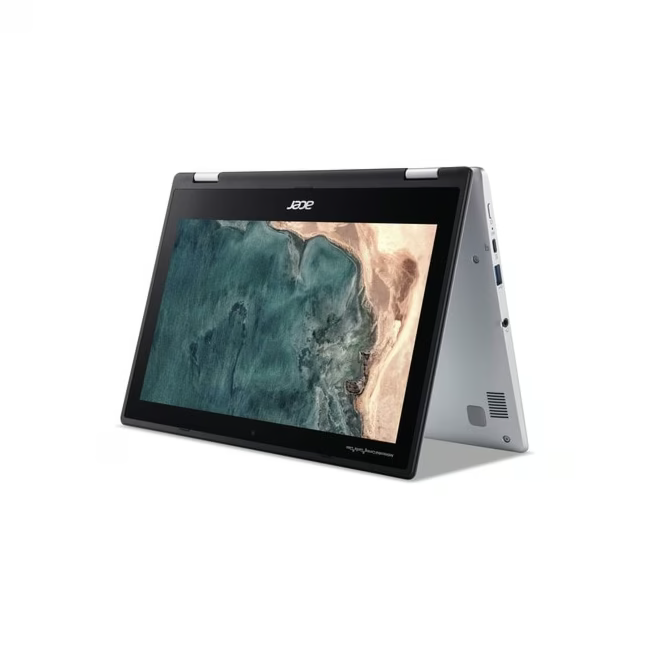
The 14-inch WUXGA touchscreen enables intuitive operation and is also suitable for presentations in tent or tablet mode.
With 8 GB of RAM, you have sufficient resources for smooth work even with many applications open.
The 128 GB SSD offers fast access to files and enough space for apps and documents.
Thanks to Chrome OS, the system starts up quickly and is well protected against threats from the internet.
What sets the Acer Chromebook Spin 314 apart
The combination of a flexible form factor and efficient hardware makes this Chromebook a versatile companion. The 360-degree hinge allows it to be used as a laptop, tent, or tablet, expanding its daily use cases. The integration of Chrome OS ensures a lean and secure system environment that is updated automatically and regularly.
Ideal for...
This Chromebook is aimed at pupils, students, and anyone looking for a reliable and easy-to-use device for everyday life. It is particularly suitable for people who are often on the move and value long battery life and low weight. It is also a good choice for families looking for a simple second device for the household.
How to use the Acer Chromebook Spin 314
After the first power-on, a Google account is all that is needed to set up and use the Chromebook. Apps can be installed via the Google Play Store to extend functionality. The touchscreen can be used for direct interaction, while the keyboard is available for longer text input. The device can be charged via the USB-C port and connected to external displays.
Acer is a global manufacturer of computers and electronics with headquarters in Taiwan. Founded in 1976, the company offers a broad range of notebooks, desktop PCs, monitors, and accessories for private and business customers. Acer is known for good value for money and innovative technologies in consumer electronics.
The Acer Chromebook Spin 314 is a convertible notebook with a 14-inch touchscreen that runs on the Chrome OS operating system. Thanks to its 360-degree hinge, it can be used as a laptop, tent, stand, or tablet.
The device requires a Google account for setup. It is compatible with all common web applications and apps from the Google Play Store. An internet connection is recommended, but many functions are also available offline.
The Chromebook features an Intel Core i3-N305 processor, 8 GB of RAM, a 128 GB SSD, an Intel UHD Graphics card, and a 14-inch WUXGA touchscreen. The weight is 2.6 kg.
The delivery includes the Acer Chromebook Spin 314, a power adapter, and the usual documents and warranty information. A separate USB-C cable is also included.
The Chromebook automatically receives updates for the operating system and security. For care, it is sufficient to clean the screen occasionally with a soft, dry cloth. It is recommended to protect the device from extreme temperatures and moisture.
Subscribe to the newsletter
New arrivals, promotions and exclusive offers — straight to your inbox.




Please complete your information below to login.
Sign In
Create New Account